
Budgets and Guardrails: Controlling What Your AI Agents Spend
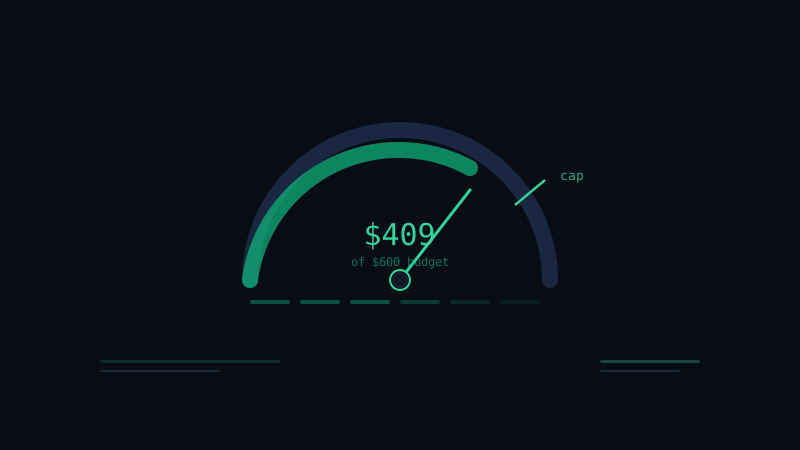
The bill should never surprise you
The promise of an AI workforce is that cost scales with work done instead of with headcount. That is a genuine advantage — light months are cheap, heavy months buy you real output. But the same property that makes usage-based cost attractive makes it something you have to actively manage. An agent that can take actions on its own can, by definition, run up usage on its own.
The goal is not to minimize spend. An agent that does nothing costs nothing and is worthless. The goal is to make spend legible and bounded — so that every dollar maps to work you wanted done, and no dollar goes to a runaway loop you did not catch.
Know what you are actually paying for
Before you can control cost, you have to understand its shape. With agents, the bill has two distinct parts.
There is the platform fee — a flat, predictable cost for access. And there is usage — the compute your agents consume as they work, which scales with how much they do and how hard each task is. A quick lookup costs a fraction of a cent; a complex multi-step analysis costs more, because it does more.
The mistake is treating usage as a single mysterious number. It is not. It is the sum of individual actions, each with a cost you can see. Once you think of the bill as a list of actions rather than a monthly total, controlling it becomes a tractable problem: you are managing a distribution of small, visible costs, not a black box.
Set budgets at three levels
A single global budget is too blunt. The useful pattern is nested budgets, each catching a different kind of overrun.
- Per-action ceilings. A single task should rarely be allowed to spend without bound. A cap per action catches the pathological case — the agent stuck in a loop, retrying forever — before it becomes a line item.
- Per-agent budgets. Each agent gets a monthly allowance sized to its job. Your support agent and your research agent have very different appetites; budgeting them separately means one going hot does not quietly consume the other's room.
- Per-workspace budget. A top-level cap is your backstop. Whatever happens below, total spend cannot exceed this without your say-so.
Nesting them means a problem gets caught at the smallest scope that can see it, instead of only showing up in the monthly total when it is too late to do anything but pay.
Decide what happens at the limit
A budget is only as good as its behavior when hit. Define that behavior on purpose, because the default matters enormously.
For most agents, the right behavior at the cap is to pause and notify — the agent stops taking new actions and tells you it has reached its limit, rather than either silently overspending or silently going dark. You then decide: raise the budget because the work is worth it, or investigate because something is wrong.
For a small number of critical agents — say, one handling time-sensitive customer issues — you may prefer soft limits that warn but do not stop, because the cost of the agent halting mid-incident exceeds the cost of the overage. That is a legitimate choice, but it should be a choice, not an accident. Reserve it for the few cases where it is genuinely true.
Watch the leading indicators, not just the total
Monthly spend is a lagging indicator — by the time it is wrong, the month is over. The signals worth watching are the ones that move first.
Cost per action trending up means your agents are reaching for heavier work, which may be fine or may mean a role has drifted. A sudden change in action volume for one agent is worth a look before it compounds. The ratio of spend to output — dollars per resolved ticket, per shipped fix, per published post — is the number that actually tells you whether you are getting value, and it is the one to put on a dashboard.
In Hivemeld, usage is visible in real time, broken down by agent and by action, so these trends are observable as they happen rather than reconstructed from an invoice. The point of the visibility is not accounting. It is that you can act on a trend in week one instead of explaining it in week four.
Right-size the work itself
The cheapest action is the one the agent did not need to take. A surprising amount of cost control is really role design.
An agent told to "monitor continuously" will poll forever; an agent told to "check on a schedule and on these triggers" does the same job for a fraction of the spend. An agent with a vague goal will explore expensively; an agent with a sharp definition of done stops when it is done. Before you raise a budget, check whether the role is generating work that does not need doing. Often the fix for a high bill is a tighter prompt, not a bigger cap.
This is the same discipline that makes human teams efficient — clarity about what is worth doing — applied to a workforce that happens to be software.
Make cost a monthly review, not a monthly shock
The teams that stay in control treat cost like any other operational metric: something they look at on a cadence, with intent. A short monthly review answers three questions. Did total spend land where you expected? Which agents moved most, and why? And for each agent, is the spend-to-output ratio improving or sliding?
That review is where you adjust budgets up for the agents earning their keep, tighten roles for the ones drifting, and retire work that stopped mattering. It takes fifteen minutes and it is the difference between an AI workforce whose economics you understand and one whose bill you merely receive.
Set ceilings per action, budgets per agent, and a cap per workspace. Decide what happens at each limit. Watch the leading indicators. Right-size the work, and review it monthly. Do that, and usage-based cost stops being a risk to manage and becomes what it should be — a precise measure of how much work your company got done.
Ready to put AI agents to work? Get started with Hivemeld