
AI Agents for SaaS Companies: Operational Leverage Across Every Function
SaaS operations have a specific profile
AI agents for SaaS companies are not a generic automation play. SaaS has a particular operational fingerprint: recurring billing cycles, support queues that scale with user count, onboarding flows that determine whether new customers activate or churn, and feedback loops that drive product decisions.
Each of these creates a repetitive operational load that grows with the business. The challenge is that most of this load — the mechanical layer — does not require human judgment for every instance. It requires consistency, speed, and reliable execution. Those are exactly the properties AI agents provide.
This post breaks down each function in the SaaS operations stack and what an AI agent deployment looks like in practice.
Recurring billing and subscription management
Billing operations for SaaS are deceptively complex. On the surface, it is automated: Stripe charges the card, the invoice goes out, revenue hits the bank. In practice, the exceptions dominate:
- Failed payments that need retry logic and dunning sequences
- Plan upgrades and downgrades mid-cycle requiring proration calculations
- Cancellation requests that may be recoverable with the right intervention
- Refund disputes and charge disputes requiring documentation
- Annual billing renewals that require advance notice emails
An AI billing agent handles the exception layer. When a payment fails, it initiates the retry and dunning sequence, drafts the recovery email, and escalates to a human only if the account reaches a configured risk threshold. When a user downgrades, it calculates the proration, applies the credit, updates the subscription record, and routes any entitlement changes to the appropriate service.
What this compresses: the manual work of billing support drops dramatically. Your support team stops handling "my card was declined" tickets and starts handling questions that require actual human judgment.
Support queue management
Support at scale is a volume problem. The majority of incoming tickets — for most SaaS products, 60 to 80 percent — are variations of the same questions. Password resets, how-to questions, billing inquiries, feature confusion. The answers exist in your documentation.
An AI support agent does not replace the nuanced handling of complex customer issues. It handles the first layer: reading incoming tickets, classifying them, retrieving the relevant documentation, drafting a response, and routing escalations to a human when the ticket exceeds its confidence threshold.
Triage and routing
The agent reads every ticket. It classifies by type, urgency, and customer tier. High-value accounts get faster routing. Technical issues get routed to engineering. Billing questions go to billing. Feature requests get logged and categorized.
This alone eliminates the manual triage step that slows down every support queue.
Autonomous resolution
For tickets the agent can resolve with high confidence — known questions with documented answers — it responds directly. The response is reviewed against your tone and policy guidelines. If the customer replies with follow-up questions, the agent continues the thread.
Escalation thresholds are configurable. Some teams set them high, letting the agent handle most tickets autonomously. Others set them low initially and move the threshold as they build confidence.
Trend detection
The agent surfaces patterns across the support queue that humans often miss because they are handling tickets individually. A spike in confusion around a specific feature. A common workflow that users are doing wrong because the UI is unclear. These surface as weekly reports — structured inputs into the product feedback loop.
Customer onboarding
Activation is the most important metric in early SaaS growth, and it is also one of the most neglected. Most companies set up a welcome email sequence, a product tour, and a help center — and then wonder why 60 percent of new users never complete setup.
An AI onboarding agent watches new user behavior and responds to it. When a user has been in the product for three days without completing a critical action, the agent sends a contextual nudge — not a generic "getting started" email, but a message tied to where they actually are in the flow. When a user completes a milestone, the agent celebrates it and guides them to the next one.
For high-value accounts, the agent can alert a human customer success manager when an enterprise customer is showing early churn signals during onboarding — giving the team a chance to intervene before the decision is made.
Churn monitoring and retention
Churn is almost always visible before it happens. Usage drops off. Key features stop being accessed. Support tickets with a negative tone increase. Login frequency falls.
An AI churn monitoring agent watches these signals and acts on them. When a customer's usage pattern starts diverging from the healthy cohort, the agent initiates a retention sequence: a check-in message, an offer of a success call, a highlight of features they have not tried. The content is personalized based on what the customer actually uses.
When signals are severe enough — or when the account is large enough to warrant human attention — the agent escalates to your customer success team with a summary: which signals it saw, what actions it already took, and what it recommends next.
Feature feedback loop
Product decisions are supposed to be data-driven. In practice, they are driven by whoever talks to customers most often. This introduces massive selection bias — you optimize for the customers who email you, not the silent majority who churn.
An AI feedback agent reads every support ticket, every product review, every NPS response, and every cancellation reason. It categorizes requests by feature area, counts frequency, and produces a structured weekly report: the top-requested improvements, the most-cited friction points, and the features most mentioned in cancellations.
This feeds directly into your product backlog as prioritized, evidence-backed signals rather than anecdote.
What operational leverage actually looks like
The term gets used loosely. For SaaS companies, operational leverage from AI agents is specific: you can grow your user base without growing your operations headcount in proportion.
A support team that handles 200 tickets a week does not become a team that handles 2,000 tickets by hiring 10x more people. It becomes a team that handles 2,000 tickets by letting the AI agent resolve the resolvable ones — while the humans focus on escalations, retention calls, and the complex issues that actually require judgment.
The same applies across billing, onboarding, and churn. Each function scales without adding proportional headcount.
The coordination layer
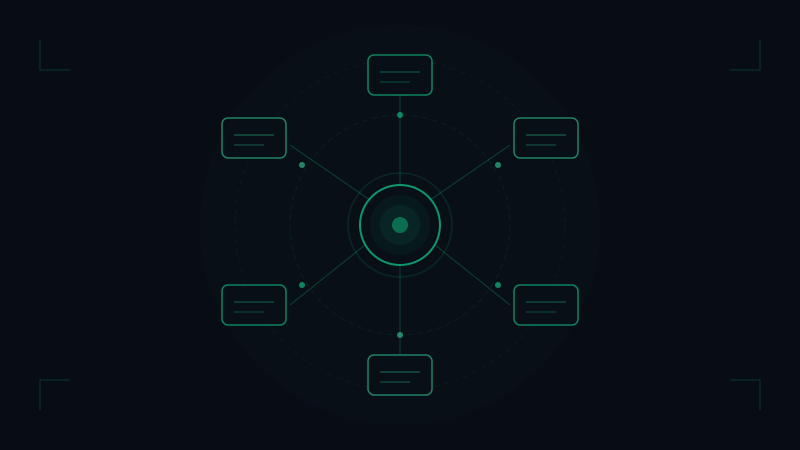
What makes this more than a collection of automations is that the agents share context. Your support agent sees that a user filed a billing dispute this week. Your churn agent sees that the same user has not logged in. The two signals together mean something different than either one alone.
Hivemeld's platform is built around this coordination — agents that operate in their domain but with visibility into what the others are seeing. You can read more about how this works in Introducing Hivemeld — Your AI Workforce.
Where to start
If you are deploying AI agents in a SaaS company for the first time, start with the support queue. The ROI is immediate and measurable — ticket resolution time, first-response time, human escalation rate. Once you have confidence in how the agent behaves and how to tune it, expand to onboarding, then churn.
Billing and feedback are high-leverage additions once the customer-facing layer is solid.
If you are building a SaaS company and want to see what an AI workforce looks like across your operations stack, start here.
Ready to put AI agents to work? Get started with Hivemeld