
AI Customer Support Automation: Beyond the Chatbot
The difference between a chatbot and a real support agent
AI customer support automation has been promised for years. Most of what shipped was a dressed-up FAQ widget — a chatbot that pattern-matches keywords and returns canned answers. If the customer's question deviated even slightly from the expected phrasing, the whole thing fell apart. You know this because you have experienced it on the other side.
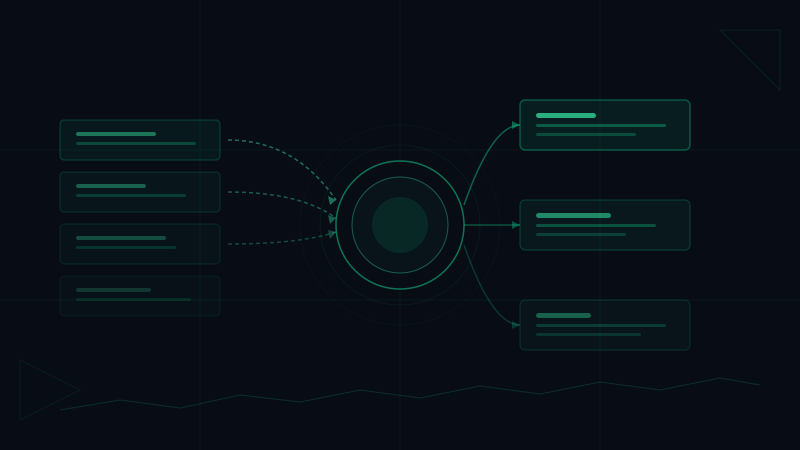
A true AI support agent is structurally different. It does not wait for a keyword match. It reads the ticket, interprets intent, checks account context, decides what action to take, drafts a response, and — if the situation is outside its authority — escalates with a summary and a recommendation. That is not a chatbot. That is a support workflow running without a human in the loop.
This is what Hivemeld's AI workforce approach makes possible for support teams: an agent with a defined role, clear decision-making authority, and the ability to complete a ticket end-to-end.
What tier-1 support actually looks like
Tier-1 support is the volume layer. It is the same fifteen questions, asked in a thousand different ways, by customers at every stage of their lifecycle. For a SaaS company, it usually looks like this:
- Password resets and account access issues
- Billing questions — plan changes, invoice requests, refund inquiries
- Feature confusion — how to do something the product already supports
- Onboarding friction — users who got stuck somewhere in the setup flow
- Status and uptime questions during incidents
This is not intellectually complex work. But it is time-consuming, it never stops, and it costs real money when humans are handling it at scale.
A properly configured AI support agent handles every one of these categories autonomously. It reads the incoming ticket, identifies the category, pulls relevant account data, applies your response policy, and sends a resolution — or at minimum a holding response while it gathers more context.
How the triage and routing layer works
Reading the ticket
The agent does not scan for keywords. It reads the full message, interprets the likely intent, and identifies what the customer actually needs — which is often not what they literally wrote. A customer who says "I can't log in and I have a meeting in 10 minutes" needs a fast password reset, but they also need acknowledgment that you understand the urgency.
Checking account context
Before responding, the agent checks what it knows about the customer: their plan, their usage history, any open tickets, their billing status. A refund question from a customer on their first billing cycle is handled differently than the same question from someone who has been paying for three years. Context changes the right response.
Applying decision authority
This is where role definition matters. The agent needs to know what it can decide on its own and what requires escalation. Can it issue a courtesy refund for amounts under $50? Can it extend a trial? Can it modify a subscription? These decisions should be written into its configuration explicitly. Ambiguity here is how you get either an over-permissive agent that gives away too much, or an over-cautious one that escalates everything and defeats the purpose.
Drafting responses
The agent writes in your brand voice, follows your response templates where they exist, and adapts when the situation does not fit a template. It is not copying and pasting. It is generating a response specific to this customer, this issue, at this moment.
Escalation with context
When a ticket falls outside the agent's authority — a complex billing dispute, an angry enterprise customer, a bug that needs engineering attention — the agent does not just punt. It escalates with a summary of the issue, what it already tried, and a recommendation for how the human should handle it. The next person in the queue gets a briefed situation, not a cold ticket.
The ROI case for SaaS companies
The numbers on AI customer support automation are straightforward once you model them honestly.
Resolution time
A human support rep working a queue handles roughly 20-30 tickets per day, depending on complexity. An AI agent handles the same volume with no queue dependency — tickets are processed as they arrive, 24 hours a day, seven days a week. For tier-1 issues, resolution time drops from hours to minutes.
Cost per ticket
Fully loaded, a support rep costs somewhere between $50,000 and $80,000 per year including benefits, management overhead, and training. At 5,000 tickets per month per rep, that is roughly $1.00 per ticket at the high end. An AI agent handles the same volume at a fraction of that cost — and does not have good days and bad days.
24/7 coverage without shift premiums
Night coverage, weekend coverage, and holiday coverage are solved problems when your support layer is autonomous. Customers in different time zones get the same response quality as customers in your home market. Incidents that happen at 2 AM get acknowledged immediately.
Headcount leverage
This does not mean you eliminate your support team. It means your support team stops doing tier-1 work and starts doing the work that actually requires judgment: complex escalations, proactive outreach, identifying systemic issues from ticket patterns. The AI handles the volume. Your humans handle the edge cases and the relationships.
What an AI support agent cannot do
Honesty matters here. There are situations a support agent should not handle alone.
A customer who is clearly frustrated and escalating emotionally often needs a human voice before they need a solution. Churn prevention for high-value accounts is a relationship conversation, not a ticket. Legal disputes require careful language that should be reviewed by a human. Security incidents need human judgment and chain-of-custody documentation.
The agent should recognize these situations and escalate them — not attempt to handle them autonomously. This is a configuration decision, not a technology limitation. A well-defined agent knows its own boundaries.
Setting up for production
The biggest mistake companies make when deploying AI support automation is treating it like a product they can install and forget. It needs to be configured as an agent with a real role:
- What categories of tickets can it resolve without escalation?
- What account data does it have access to?
- What actions can it take? (Refunds, plan changes, ticket merges?)
- What is the escalation path for each category of exception?
- How should it communicate — formal or conversational?
Get those decisions made upfront and documented in the agent's configuration. You will spend less time correcting mistakes and more time watching it work.
The 24/7 support team you do not have to hire
The operational advantage of AI customer support automation is not just cost. It is consistency. Every ticket gets the same quality of attention. No one skips steps because they are having a rough day. No ticket falls through the cracks at 3 AM. The agent runs your support process exactly as you designed it, at whatever volume comes in.
That is not something a human team can match without significant overhead. It is something an AI agent does by default.
If you are running a SaaS company with a support queue and you are still handling tier-1 tickets with human labor, you are spending money you do not need to spend and trading speed you do not need to give up.
Deploy your AI support agent on Hivemeld and have it handling tickets within the hour.
Ready to put AI agents to work? Get started with Hivemeld